
← ALL COURSES
COMPLETE VFX WORKFLOW

VFX Crash Course

Go from unfinished ideas
to a finished VFX shot.

Turn green-screen footage and CG into a complete cinematic shot, with a connected workflow you can reuse.

Migration in progress. 73 videos are ready. 10 videos and 3 lesson downloads are unavailable until migrated. No completion date is promised. Review missing material ↓

🔒 Secure checkout with Stripe
WATCH THE PREVIEW ↓

COURSE ACCESS THROUGH YOUR VFX CENTRAL ACCOUNT

AVAILABLE NOW
$327.99LISTED COURSE PRICE
Instructor
Aaron Sorensen
Level
Beginner / Intermediate
Available now
73 videos; 10 videos still being migrated
Access
Instant access · Learn at your own pace
Format
Step-by-step, project-based lessons
Project files
Available files included; 3 downloads still being migrated
Lesson access
Lifetime
PROGRAMS USED

Cinema 4D · Octane · Redshift · X-Particles · Nuke · Fusion · After Effects · Photoshop · Mocha Pro

Software licenses are separate. Applications vary by chapter.
Planning & concept artCamera trackingCG environmentsLighting & renderingCompositing

Migration in progress. 73 videos are ready. 10 videos and 3 lesson downloads are unavailable until migrated. No completion date is promised. Review missing material ↓

🔒 Secure checkout with Stripe

Lifetime access · Available course files included

14-day satisfaction guarantee. Review the current policy and final total at checkout.

ONE SHOT. THE WHOLE PIPELINE.

From a green screen
to another world.

See the footage, the scene and the finished image. Then follow the decisions that connect them.
WATCH THE 54-SECOND OVERVIEW ↗
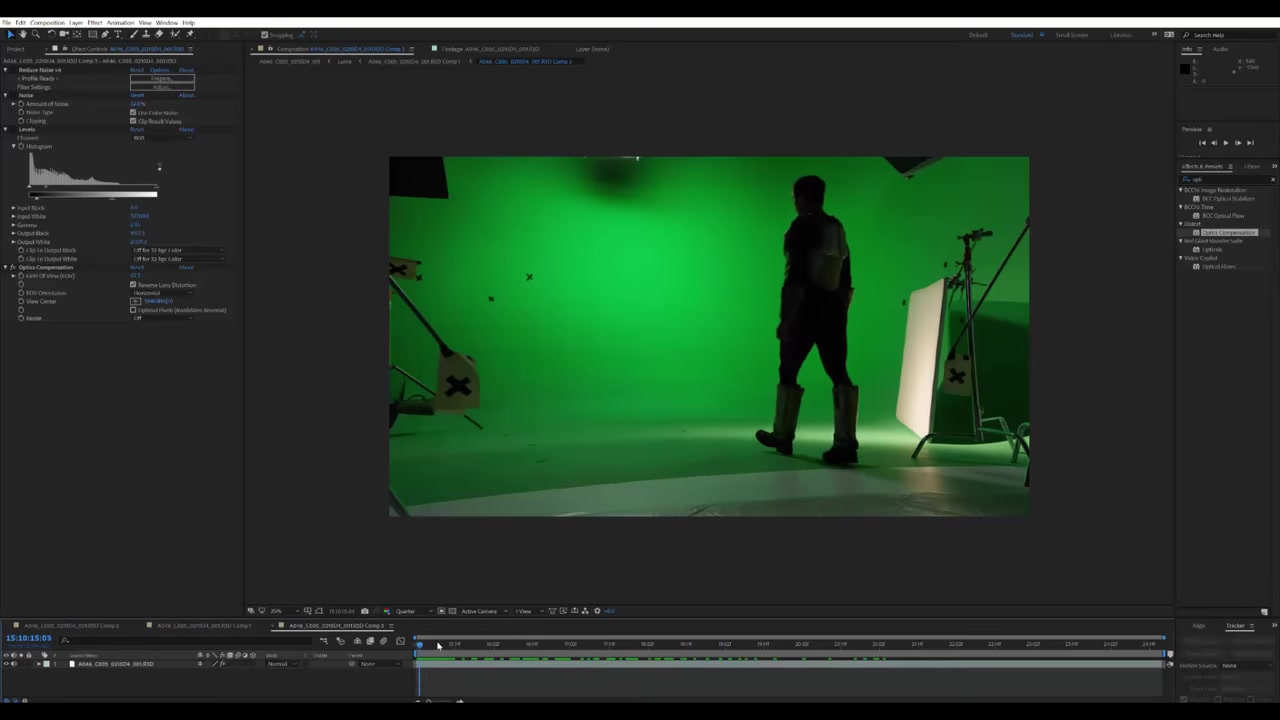
Actor filmed on a green-screen stage for the course project
THE STARTING POINT

The footage.

Live-action performance before the environment and effects come together.
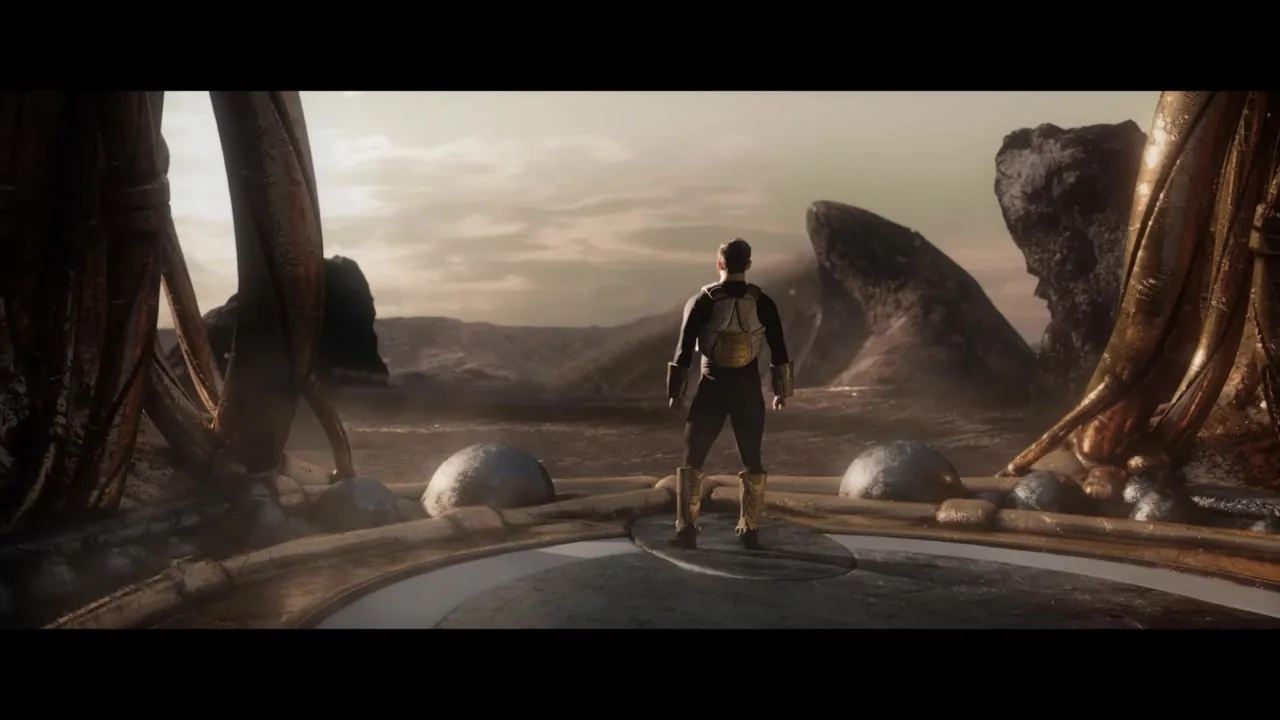
Finished course shot of the actor walking through a cinematic CG environment
THE FINISHED SHOT

A complete cinematic image.

The performance integrated with a CG world, lighting and the final composite.

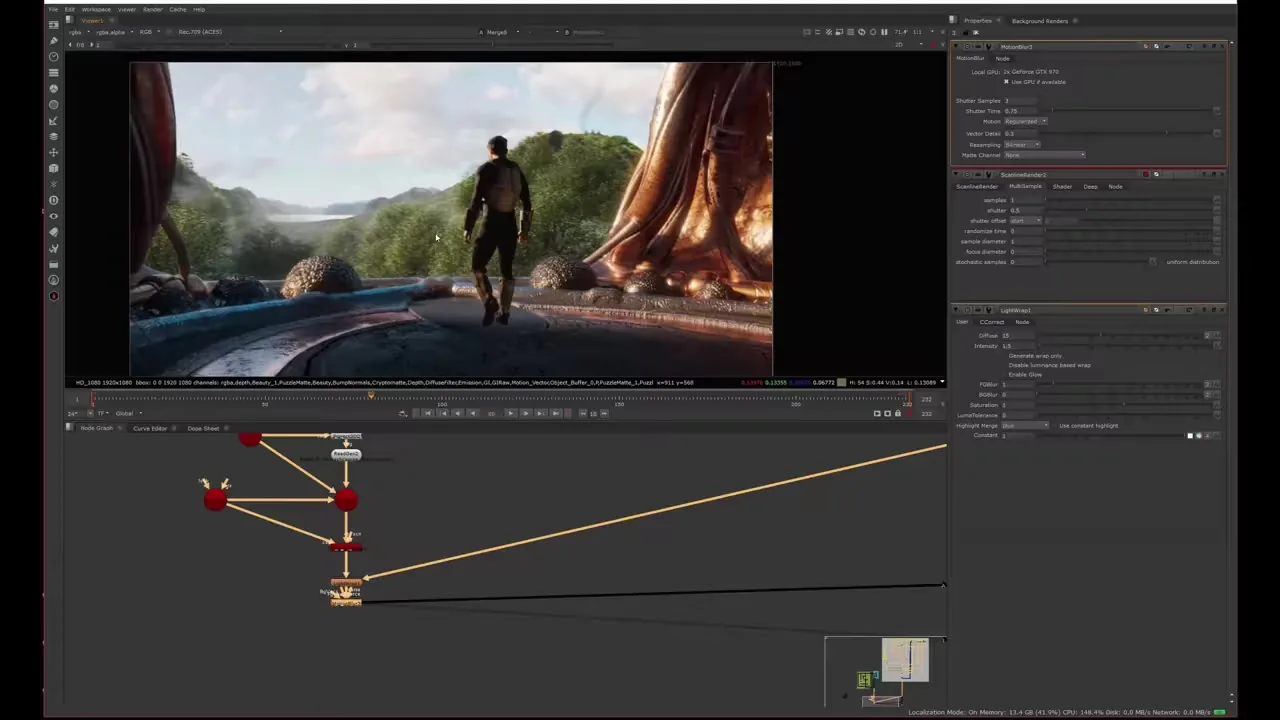
Understand the footage. Workflow still from Aaron’s VFX Crash Course overview01 / TRACK & PREPARE

Understand the footage.

See the tracking and footage preparation shown in the course overview.
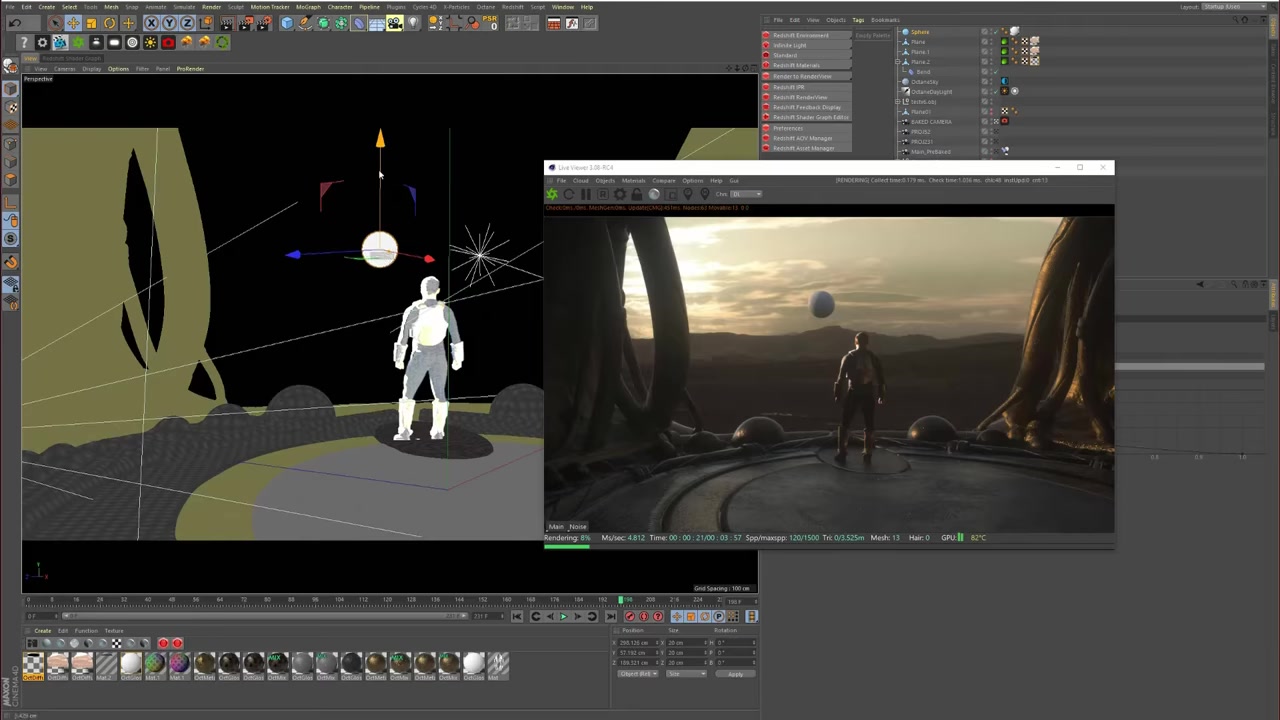
Create the world. Workflow still from Aaron’s VFX Crash Course overview02 / BUILD & LIGHT

Create the world.

Follow the 3D scene, environment and lighting stages behind the shot.
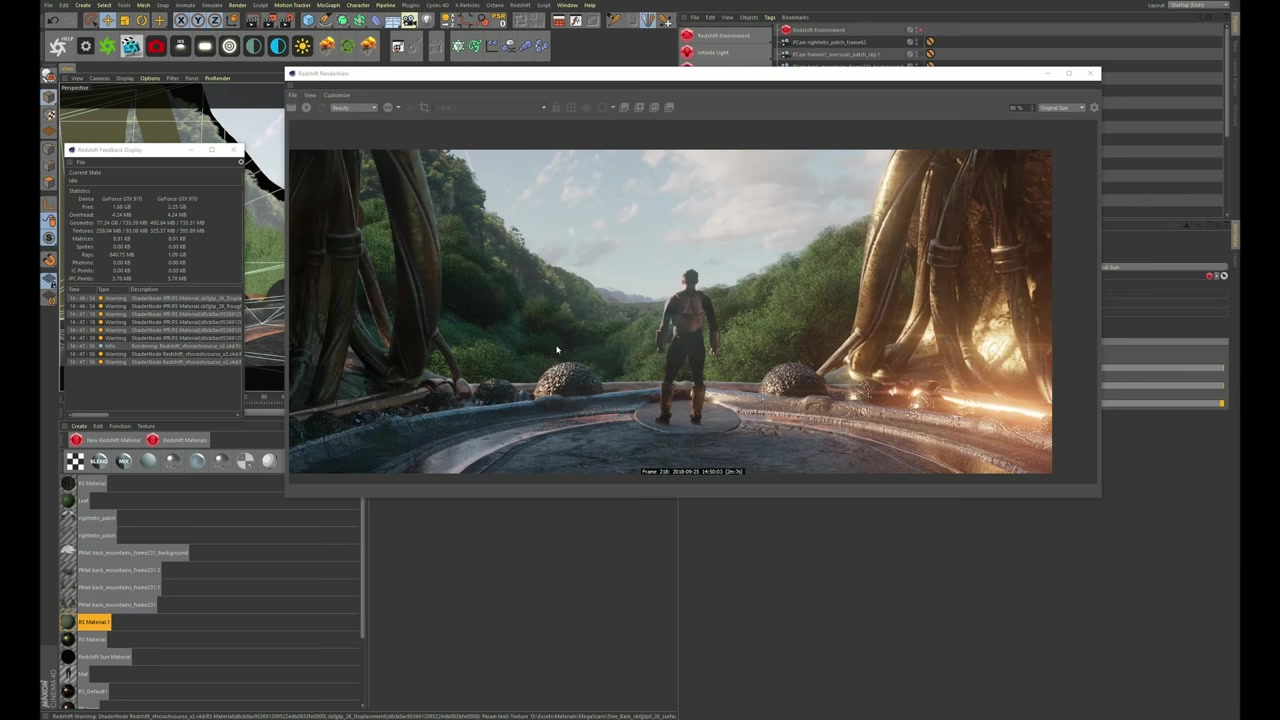
Finish the image. Workflow still from Aaron’s VFX Crash Course overview03 / BRING IT TOGETHER

Finish the image.

Explore how the rendered scene and live-action footage meet in compositing.

Actual stills from Aaron’s “What is the VFX Crash Course?” video.

INCLUDED IN YOUR COURSE

A complete workflow.
Resources to follow along.

73 videos ready to watch.

From concept art and planning to production, tracking, CG environments, rendering and compositing.

Course files and resources.

Available files are included. Three lesson downloads are still being migrated; see the migration notice before purchasing.

Lifetime lesson access.

Return to the lessons as a reference while working on your own projects.

Know your tools before you enroll.

This course covers a multi-application workflow, including Cinema 4D, Octane, Redshift, X-Particles, Nuke, Fusion, After Effects, Photoshop, Mocha Pro and other tools. Software licenses are separate. Check the curriculum for the applications used in each chapter; this is not a Blender-only course.

FEEDBACK FROM WORKING ARTISTS

The process makes the difference.

“It’s a real springboard forward in to tackling the VFX pipeline.”
Dane ArmourSenior Layout Artist at Animal Logic · as credited on the original course page

Mike highlights the depth of the lighting, compositing and FX instruction, and its usefulness for artists at different experience levels.

Mike JohnsonLead CG Generalist and Matte Painter at Blur Studio · original course-page credit

David highlights the extensive single-shot workflow and the confidence it can give artists to combine tools and realize their own creative ideas.

David AriewAE / C4D / Octane artist · original course-page credit
READ FULL REVIEWS ↗
THE CHANGE IN YOUR WORK

Build toward a finished result.

01

Plan with purpose

Turn an idea into a shot you can build, with clear composition and a practical plan.

02

Light and render

Give your scene depth, atmosphere and a render ready for compositing.

03

Finish the composite

Integrate your footage and CG into one finished cinematic image.

BEFORE YOU PURCHASE

What is available today.

73 videos and two lesson downloads are ready in the website player. The following 10 videos and three lesson downloads are still being migrated and are unavailable here. No completion date is promised. This purchase provides website access; it does not create a Thinkific enrollment.

See the material still being migrated
  • Houdini User Interface — SOFTWARE BASICS
  • Process the footage for Aces (Davinci Resolve , Nuke) — Preparing Footage DaVinci Resolve to Nuke
  • DOWNLOAD // Green Screen Footage Aces 1080P — Preparing Footage DaVinci Resolve to Nuke
  • After Effects Tracking Overview — After Effects Camera Tracking Process *NEW*
  • After Effects Project Setup — After Effects Camera Tracking Process *NEW*
  • After Effects Tracking Setup — After Effects Camera Tracking Process *NEW*
  • Tracking Camera in After Effects — After Effects Camera Tracking Process *NEW*
  • After Effects Other Tracking Tips — After Effects Camera Tracking Process *NEW*
  • Pre-Key & Sky Aces (Nuke) — Creating Environment In Cinema 4D R23 / Redshift / Quixel / Nuke
  • Set up Cinema 4D R22 Interface — Creating Environment In Cinema 4D R23 / Redshift / Quixel / Nuke
  • Layout Enviroment in Cinema 4D R22 — Creating Environment In Cinema 4D R23 / Redshift / Quixel / Nuke
  • VDB SMOKE DOWNLOAD — Creating an Environment (Cinema 4D / Octane / Xparticles / Black Magic Fusion)
  • VDB SMOKE DOWNLOAD — Creating an Environment (C4D \\ Redshift \\ Xparticles \\ Nuke)

The course discussion activity is also still being migrated.

INSIDE THE COURSE

The work. The process.

Course preview

Another look at the course

More from the course

Open a chapter to see its lessons.

01Course Introduction1 lesson
  1. Welcome to the VFX CRASH COURSE!
02GOLDEN RULES of VFX & Compositing4 lessons
  1. Motion
  2. Depth
  3. Light & Color
  4. Perspective
03SOFTWARE BASICS4 lessons
  1. Cinema 4D Basics
  2. Houdini User InterfaceBeing migrated
  3. Node Based Compositing vs Layer Based (VERY IMPORTANT!)
  4. Rotoscoping In Mocha Pro
04(Bonus Lesson) Getting Inspired & Production Tips!2 lessons
  1. Part 1: Getting Inspired & Coming up with Ideas
  2. Part 2: High Production Value with a Minimal Budget
05(Bonus Lesson) Finding & Working with Clients1 lesson
  1. Lesson 2: Finding & Working with Clients
06Pre-Production // Creating Concept Art , Anamatic, Planning10 lessons
  1. Creating Concept Art: PART 1 (PHOTOSHOP)
  2. Creating Concept Art: PART 2 (PHOTOSHOP)
  3. Storyboard & Animatics Overview
  4. Creating an Animatic (Cinema 4D & Octane)
  5. Anamatic // Blocking out movement (Adobe Fuse, Mixamo, Cinema 4D & Octane)
  6. Anamatic // Part 1: Camera Projections & Lighting (Cinema 4D & Octane)
  7. Anamatic // Part 2: Camera Projections & Lighting continued
  8. Anamatic // Object Bashing & Texturing (Cinema 4D & Octane)
  9. Planning for Production with a Director of Photography
  10. How to VFX Supervise
07Production1 lesson
  1. Filming on a Green Screen
08Preparing Footage DaVinci Resolve to Nuke2 lessons
  1. Process the footage for Aces (Davinci Resolve , Nuke)Being migrated
  2. DOWNLOAD // Green Screen Footage Aces 1080PCourse resource
09After Effects Camera Tracking Process *NEW*5 lessons
  1. After Effects Tracking OverviewBeing migrated
  2. After Effects Project SetupBeing migrated
  3. After Effects Tracking SetupBeing migrated
  4. Tracking Camera in After EffectsBeing migrated
  5. After Effects Other Tracking TipsBeing migrated
10Tracking Basics (Syntheyes. Mocha Pro, Cinema 4D, Nuke)5 lessons
  1. Tracking & Lens Distortion in Nuke
  2. Tracking in Mocha
  3. Tracking in Cinema 4D
  4. Tracking in Syntheyes
  5. 3D TRACKED SCENE FBXCourse resource
11Sculpting CG Environment (3D Coat \\ C4D )4 lessons
  1. LESSON 10: INTRO
  2. 3D Coat
  3. Sculpting & Texturing Environment
  4. 3D SCIFI ENVIROMENT .objCourse resource
12Creating Environment In Cinema 4D R23 / Redshift / Quixel / Nuke3 lessons
  1. Pre-Key & Sky Aces (Nuke)Being migrated
  2. Set up Cinema 4D R22 InterfaceBeing migrated
  3. Layout Enviroment in Cinema 4D R22Being migrated
13Creating an Environment (Cinema 4D / Octane / Xparticles / Black Magic Fusion)21 lessons
  1. Camera Animation Tips (Cinema 4D)
  2. INTRO: Rendering in Octane
  3. Cinema 4D Octane Basics
  4. Part 1: Setting up Scene for Octane
  5. Part 2: Matte Painting & Projections (Octane)
  6. Part 3: Rendering (Octane)
  7. Part4: Adding more details to Environment (C4D / Octane)
  8. INTRO: Dynamics & Simulations
  9. Part 1: Dynamics & Simulation Basics
  10. Part 2: Destruction! Physics (C4D, Voronoi Fracture)
  11. Part 3: Simulating Particles (Cinema 4D \ Xparticles)
  12. Part 4: Simulating Smoke & Fire (Xparticles EXPLOSIA)
  13. Part 5: Rendering Volumes (Octane)
  14. VDB SMOKE DOWNLOADCourse resource
  15. INTRO: Compositing in Blackmagic Fusion
  16. Learning Fusions coming from After Effects
  17. Part 1: Setting up Project in Fusion
  18. Part 2: Keying, Roto & Despill in Fusion
  19. Part 3: Setting Up Multipasses in Fusion
  20. Part 4: 3D Compositing in Fusion
  21. Part 5: Coloring & Dirty Details in Fusion
14Creating an Environment (C4D \\ Redshift \\ Xparticles \\ Nuke)22 lessons
  1. Camera Animation Tips (Cinema 4D)
  2. INTRO: Rendering In Redshift
  3. Setting up Scene (C4D, Redshift)
  4. Texturing Environment & Projections Part 1 (Photoshop, C4D, Redshift)
  5. Setting up Projections Part 2 (C4D, Redshift, Photoshop)
  6. Simulating, Texturing Trees and Foliage (C4D, Redshift, Forester)
  7. Rendering In Redshift Basics (C4D, Redshift)
  8. Rendering Our Project (C4D, Redshift)
  9. INTRO: Dynamics & Simulations
  10. Part 1: Dynamics & Simulation Basics
  11. Part 2: Destruction! Physics (C4D, Voronoi Fracture)
  12. Part 3: Simulating Particles (Cinema 4D \ Xparticles)
  13. Part 4: Simulating Smoke & Fire (Xparticles EXPLOSIA)
  14. Part 5: Rendering Volumes (Redshift)
  15. VDB SMOKE DOWNLOADCourse resource
  16. INTRO: Compositing in Nuke
  17. Learning NUKE coming from After Effects
  18. Part 1: Setting up Project in NUKE
  19. Part 2: AOV (Multipass) Compositing in NUKE
  20. Part 3: Keying, Roto & Despill in NUKE
  21. Part 4: 3D Compositing & Color Matching in NUKE
  22. Part 5: Dirty Details and Grading in NUKE
15Final thoughts & Getting Paid as an Artist4 lessons
  1. CONGRATULATIONS!
  2. Invest in YOU!
  3. Get PAID for being creative!
  4. Share what you have created!Course resource
CHOOSE YOUR NEXT RESULT

Is this your next course?

For beginner and intermediate artists ready to connect isolated skills and finish a complete cinematic shot.

Start with the project.

See the course details and lesson information before enrolling. Check the listed software requirements against your setup.

VIEW FULL COURSE DETAILS ↗
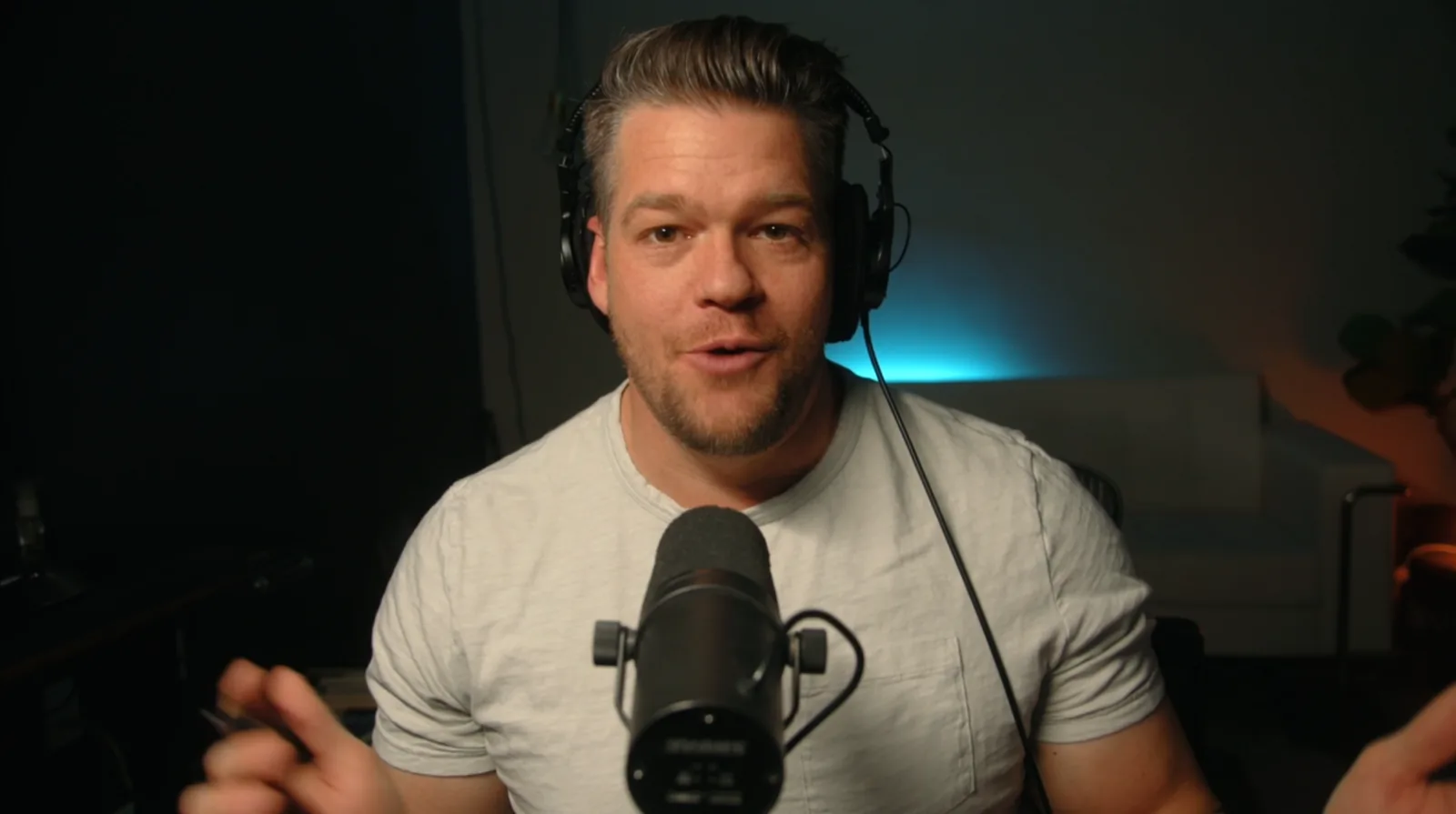
Aaron Sorensen at his desk
VFX CENTRAL / LEARN BY MAKING

Understand the decisions.
Build your own work.

VFX Central connects filmmaking, visual effects and the tools behind the shot. Practice the decisions behind a finished shot, then apply them to your own work.

MEET AARON ↗
BEFORE YOU BEGIN

A few things to know.

Where do I access the lessons?

For VFX Crash Course and AE Crash Course, sign in to your VFX Central website account, pay through Stripe, then open the course in My Library. Videos play through Vimeo. Other courses retain their current enrollment pages.

Which software and resources do I need?

Check the full course details on the enrollment page for software versions, requirements and included files.

What are the access and refund terms?

Review the current terms on the enrollment page before purchasing.

I already own this course. Where do I log in?

Open My Library using the same email as your original purchase. Imported Thinkific enrollments are preserved.

YOUR NEXT SHOT STARTS HERE

VFX Crash Course

Turn green-screen footage and CG into a complete cinematic shot, with a connected workflow you can reuse.

$327.99

Migration in progress. 73 videos are ready. 10 videos and 3 lesson downloads are unavailable until migrated. No completion date is promised. Review missing material ↓

🔒 Secure checkout with Stripe
VFX Crash Course$327.99

10 videos + 3 downloads pending. Details ↓

🔒 Secure checkout with Stripe