Camera+Light Bar
Stay in the viewport.
Keep shaping the shot.
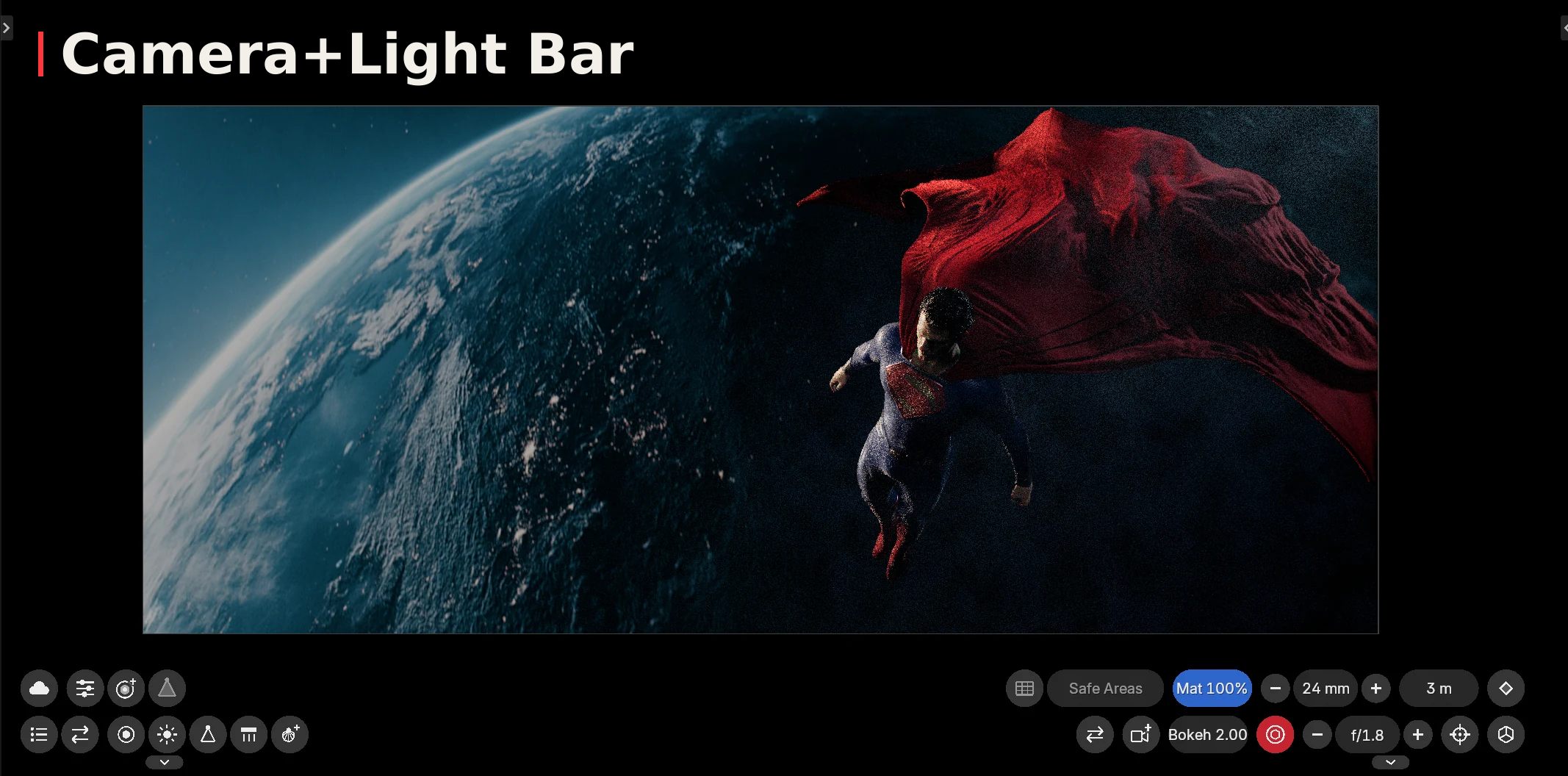
Two on-screen toolbars put camera, lighting and atmosphere controls close to your scene. Pull focus, aim a light and build the mood without opening the Properties editor.
Free · Version 3.4.0 · Blender 4.4+. Drag into Blender and confirm installation.
DOWNLOAD ZIP ↓INSTALLATION ↗Requires Blender 4.4 or newer. Built and tested by Aaron Sorensen on Blender 5.3. No extra dependencies.
Camera controls
- DOF toggle, F-stop and focal length steppers.
- Focus distance, click-to-pull-focus depth picker and focus object picker.
- Bokeh ratio and passepartout.
- Keyframe focal length, focus distance and F-stop.
- Add cameras and switch between them.
- Composition guides: Rule of Thirds, Golden Ratio, Golden Spiral, Golden Triangles, Diagonals, Center Cross, Symmetry, Grid and Safe Areas.
Lighting controls
- Add point, sun, spot, area and IES lights with a click or surface placement.
- Select lights from a list or switch between them.
- Aim, orbit and adjust height around a subject.
- Slide lights across a scene while keeping their angle.
- Light colour, IES profiles and gobos, including area-light gobos.
- Square, rectangle, disk and ellipse area shapes.
- Hide lights or toggle their volumetric visibility.
Build the mood
- Scene fog toggle and settings.
- Local fog spheres with density, noise and noise-scale controls.
- Visible light beams with length, density and noise.
- Seven customizable light shortcuts: power, size, angle, distance, move, duplicate and switch.
Change these light shortcuts in the add-on's preferences.
Install in Blender
- Drag Drag to Blender from this page into Blender 4.4 or newer.
- Confirm the installation and enable Camera+Light Bar if prompted.
- Enter camera view for the camera bar. The lights bar is available in your 3D views.
Prefer a ZIP? Download version 3.4.0, then select it in Edit → Preferences → Add-ons → Install from Disk. If you have an earlier legacy installation, disable it before enabling this extension.
Look under View → Camera+Light Bar in the viewport sidebar for toolbar options.
Created by Aaron Sorensen. Free software under GPL-3.0-or-later. The package includes source code and the license.